This video from the Facebook provides a comprehensive picture how n8n works. The customer would send a message or voice to the Telegram. Upon message received, a Switch node is connected which switch the message text or audio, and send the text file to AI Agent. The AI Agent makes use of Open AI chat (LLM) with simply memory and draft a email to reply. The reply message will then send to owner’s Telegram.
Below is the video links
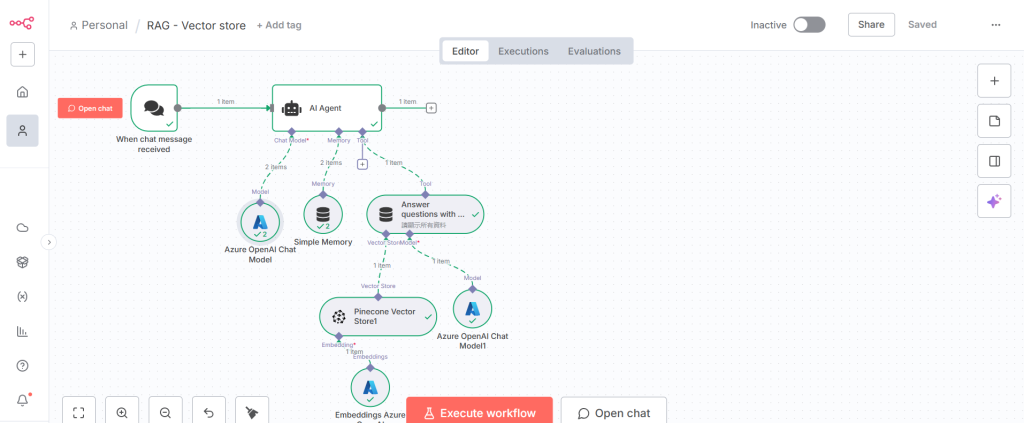
https://www.facebook.com/reel/1666405898100336以下是n8n的工作流程, 利用AI Agent 去進行查問及回應…
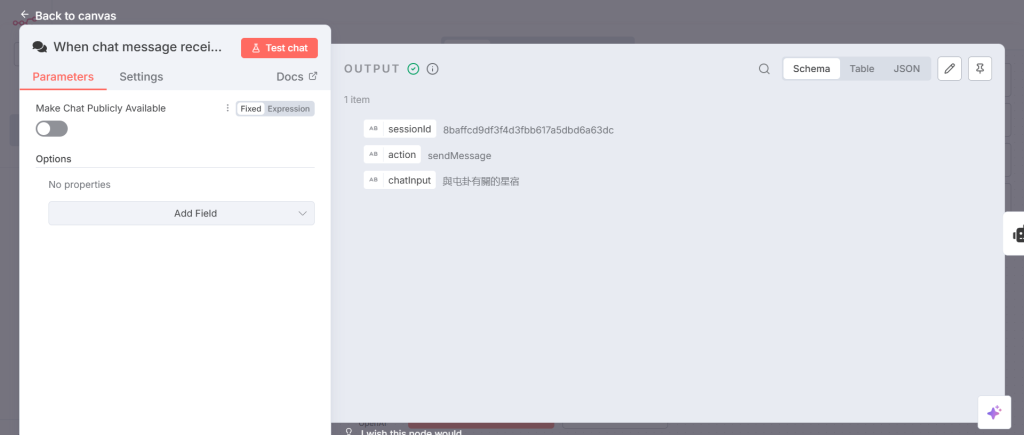
在周易星象史話 請問與屯卦有關的星宿 ?
步驟 1 接收聊天訊息
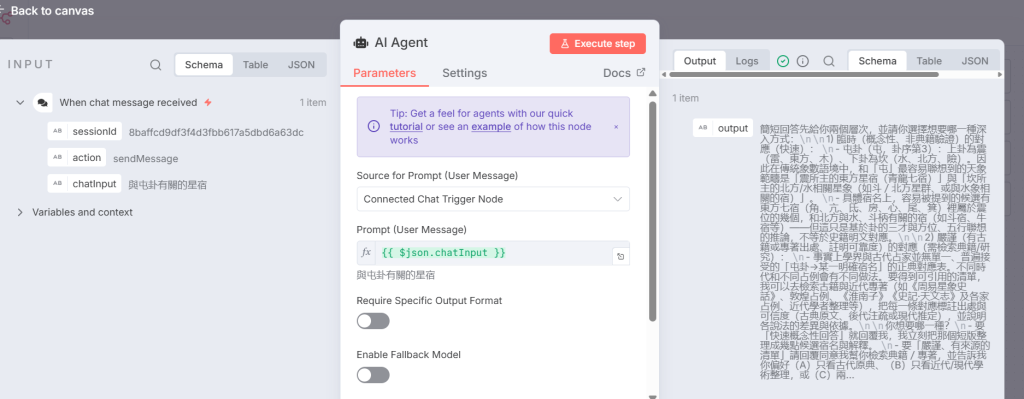
步驟 2 AI 代理處理使用者訊息提示
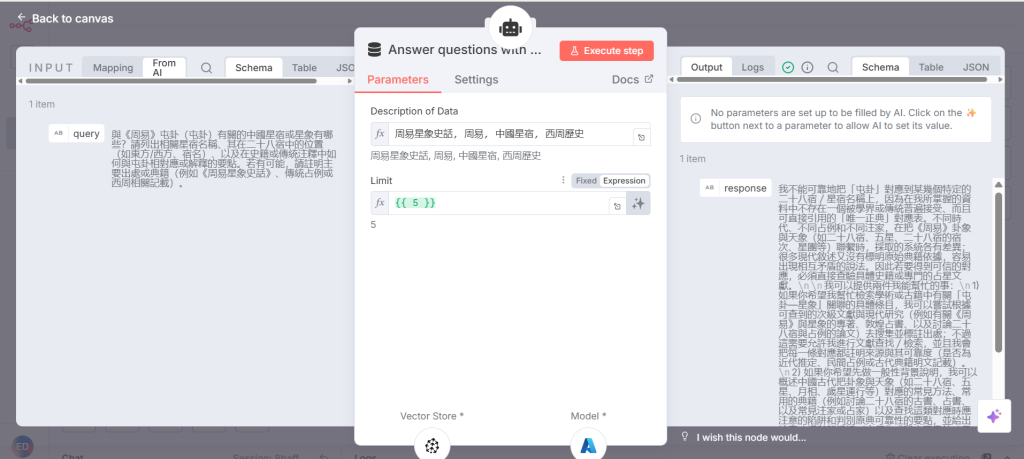
步驟 3 使用查詢回答問題
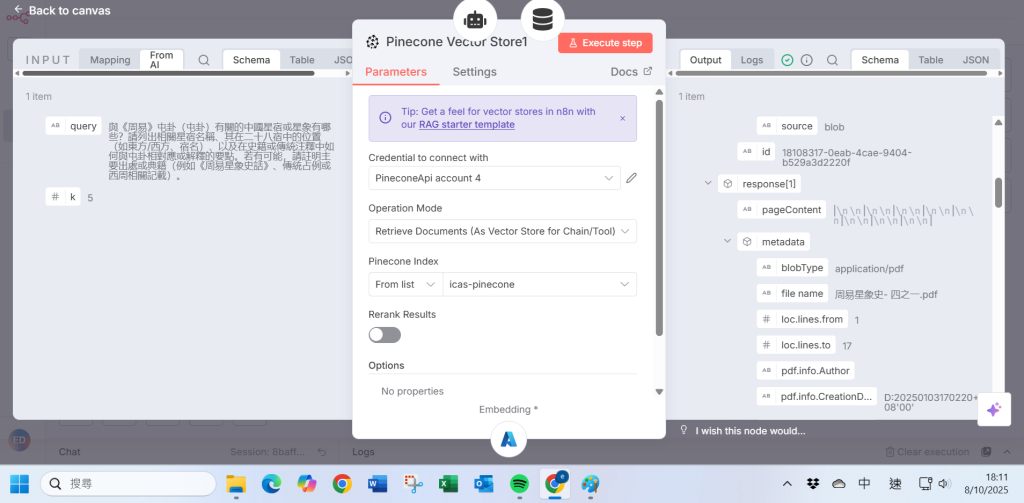
步驟 4 Pinecone 向量資料庫以操作模式檢索文件
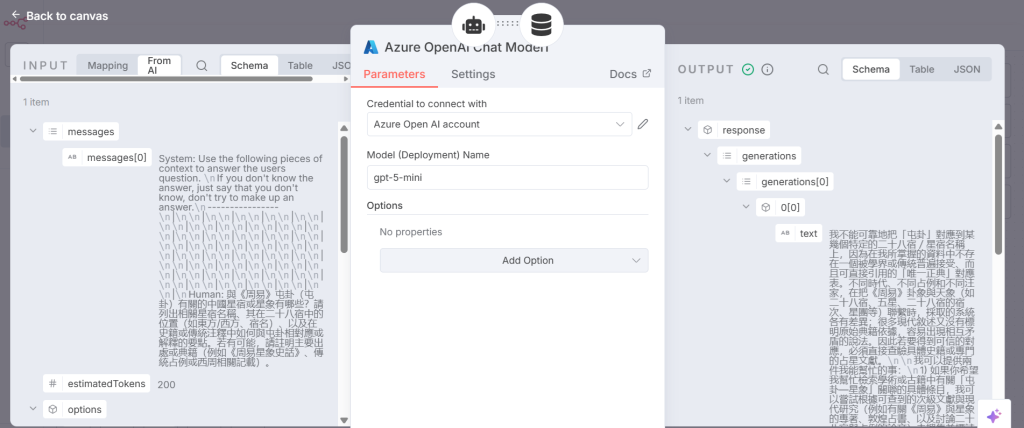
步驟 5 Azure OpenAI 聊天模型以 gpt-5-mini 存取「訊息」
步驟 6 使用 Azure OpenAI 的 “text-embedding-3-large” 進行嵌入查詢
步驟 7 使用簡單記憶
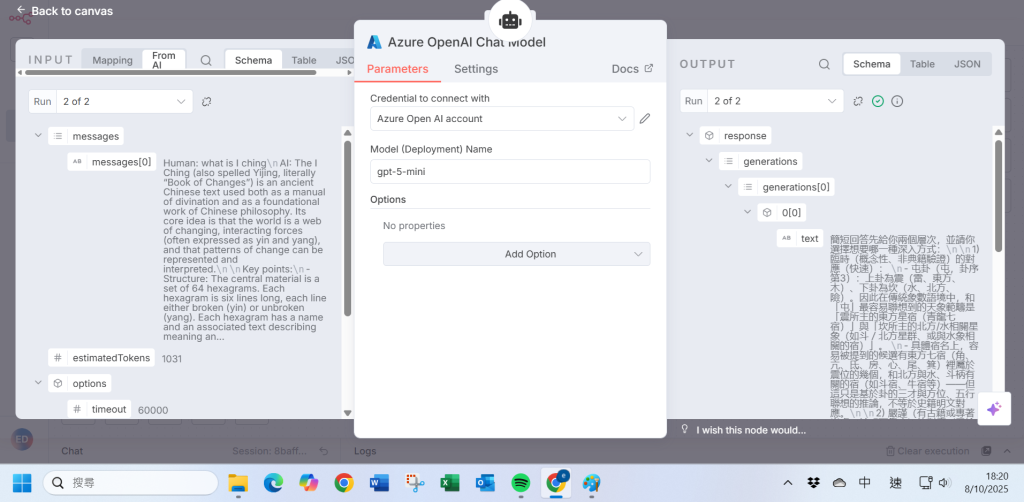
步驟 8 再次套用 Azure OpenAI 聊天模型將訊息傳回聊天
📊 流程表格(繁體中文)
步驟
說明
步驟 1
接收聊天訊息
步驟 2
AI 代理處理使用者訊息提示
步驟 3
使用查詢回答問題
步驟 4
Pinecone 向量資料庫以操作模式檢索文件
步驟 5
Azure OpenAI 聊天模型以 gpt-5-mini 存取「訊息」
步驟 6
使用 Azure OpenAI 的 “text-embedding-3-large” 進行嵌入查詢
步驟 7
使用簡單記憶
步驟 8
再次套用 Azure OpenAI 聊天模型將訊息傳回聊天
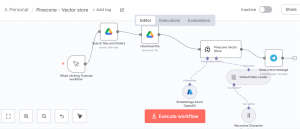
RAG Vector Store workflow automation
Step 1 Chat Message received
Step 2 AI Agent workout with User Message Prompt.
Step 3 Answer question with query
Step 4 Pinecone vector store with operation mode to retrieve documents
Step 5 Azure OpenAI Chat Model to access the “message ” with gpt-5-mini
Step 6 Embedding Azure OpenAI to query with “text-embedding-3-large” for embedding
Step 7 Using Simple Memory
Step 8 Apply Azure OpenAI chat model again to deliver the message back to chat.

 The AI Agent makes use of Open AI chat (LLM) with simply memory and draft a email to reply. The reply message will then send to owner’s Telegram.
Below is the video links
https://www.facebook.com/reel/1666405898100336
以下是n8n的工作流程, 利用AI Agent 去進行查問及回應…
The AI Agent makes use of Open AI chat (LLM) with simply memory and draft a email to reply. The reply message will then send to owner’s Telegram.
Below is the video links
https://www.facebook.com/reel/1666405898100336
以下是n8n的工作流程, 利用AI Agent 去進行查問及回應…
 在周易星象史話 請問與屯卦有關的星宿 ?
步驟 1 接收聊天訊息
步驟 2 AI 代理處理使用者訊息提示
步驟 3 使用查詢回答問題
步驟 4 Pinecone 向量資料庫以操作模式檢索文件
步驟 5 Azure OpenAI 聊天模型以 gpt-5-mini 存取「訊息」
步驟 6 使用 Azure OpenAI 的 “text-embedding-3-large” 進行嵌入查詢
步驟 7 使用簡單記憶
步驟 8 再次套用 Azure OpenAI 聊天模型將訊息傳回聊天
在周易星象史話 請問與屯卦有關的星宿 ?
步驟 1 接收聊天訊息
步驟 2 AI 代理處理使用者訊息提示
步驟 3 使用查詢回答問題
步驟 4 Pinecone 向量資料庫以操作模式檢索文件
步驟 5 Azure OpenAI 聊天模型以 gpt-5-mini 存取「訊息」
步驟 6 使用 Azure OpenAI 的 “text-embedding-3-large” 進行嵌入查詢
步驟 7 使用簡單記憶
步驟 8 再次套用 Azure OpenAI 聊天模型將訊息傳回聊天